No Apps.
No Accounts.
100% Private.
Free to anyone.
Digital Namecard.
No Strings Attached.
Stop forcing people to download apps or visit social landing pages. Send your contact info straight to their phone with a single QR code design. Choose a template, or smart-ify your existing design.
Create separate cards for each of your professional roles.
Create native-language cards without cluttered text blocks.
QRNameCard
JOHN
NELSON
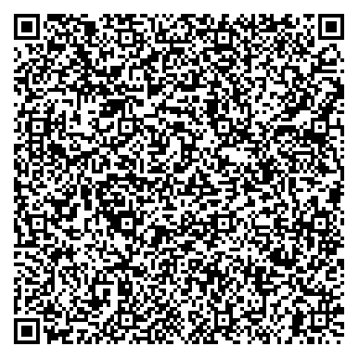
Interactive Demo Point your phone camera to the QR code and see how John's contact info show up — works instantly without internet.
Why most digital cards fail.
We researched the complaints. We built the solution.
The "Other" Guys
Download an app to share
Forcing your contact to install 'yet another app' just to see your info.
Single rigid identity
Stuck with one card for every situation, cluttering your info across roles.
Links to a social landing page
The 'Linktree' effect. Making people click through ads and icons to find your phone number.
NFC that works 60% of the time
Awkwardly tapping phones together for 30 seconds only for it to fail.
The QRNamecard Way
No Apps Required
Works instantly in any mobile browser. Zero friction for you and your contact.
Multiple Identities
Create separate cards for each of your roles. Share the right persona for the right room.
Multi-lingual Support
Create dedicated cards for different languages. No more cluttered, bilingual text blocks.
Direct 'One-Tap' Save
Scanning triggers the phone's native 'Add to Contacts' prompt. One click, and you're in.
How to Create Your Digital Namecard
Create a professional, contactless business card in four simple steps. No apps or technical skills required.
Choose Your Design
Select from our premium templates or upload your existing business card design to 'smart-ify' it.
Enter Contact Info
Fill in your name, phone, email, company, and social links. Your data stays 100% private on your device.
Style Your QR Code
Customize the QR code size, colors, and corner radius to perfectly match your brand aesthetic.
Save & Share
Download your card as an image or install the PWA for instant, offline access during networking events.
Steps to create a vCard QR code namecard:
- Choose Your Design: Select from our premium templates or upload your existing business card design to 'smart-ify' it.
- Enter Contact Info: Fill in your name, phone, email, company, and social links. Your data stays 100% private on your device.
- Style Your QR Code: Customize the QR code size, colors, and corner radius to perfectly match your brand aesthetic.
- Save & Share: Download your card as an image or install the PWA for instant, offline access during networking events.
What is a Digital Namecard?
A digital namecard is a contactless way to share contact info via a **vCard QR code**. It allows recipients to save your details directly to their phone's contact list without needing an app. It's the modern, sustainable alternative to traditional paper business cards.
The "Job to be Done"
Philosophy.
A namecard has one job: to get your info into someone else's phone. Most digital solutions fail because they add layers of friction between the scan and the save.
We went back to basics. We don't want to follow you, track your 'analytics', or show you ads. We just want to save your new acquaintance the 2 minutes of awkward silence while they manually type your email and phone number.
Direct Save
Scanning a QRNamecard triggers the native contact app. No intermediate websites.
Upgrade Your Design
Already have a card design? Upload it and we'll embed the smart QR tech directly onto your current brand.
Contextual Identities
Founder by day, Mentor by night? Create separate identities or native-language cards so you always share the right persona for the right room.
YOUR BRAND
Modern Professional
Contact Saved
Directly to your phone
Simple, Honest Pricing.
No subscriptions. No hidden fees. We believe everyone should have a professional digital identity for free.
Free Forever
- Free templates included
- Custom design uploads
- One-tap save tech
- 100% Private & Local
- Subtle watermark
Common Questions
Yes! You can choose any of our professional templates or upload your own design and generate a functional digital card for free. A small, subtle watermark is included in the free version. If you'd like a perfectly clean, branded look, you can remove the watermark with a small, one-time payment. No subscriptions, no hidden fees.
No sign-up required. Completely private.